

Dashboard testing
Test registered Runiq agents through the embedded dashboard.
Registered agents appear in the embedded Runiq Dashboard through runtime metadata.
The dashboard is served by the same ASP.NET Core application. It can list agents, show their instructions and attached tools, run chat requests, stream assistant output, and inspect tool call details.
Enable the dashboard
The default path is /runiq. If you set Path = "/dashboard", open /dashboard in the same host application.
What the dashboard reads
Agent visibility comes from runtime metadata and execution events.
| Dashboard area | Runtime source |
|---|---|
| Agents list | Registered Agent instances from AddRuniqServer. |
| Agent details | Agent metadata: id, name, instructions, model, reasoning effort, verbosity, tools, and context spaces. |
| Chat playground | /api/agents/{agentId}/chat under the dashboard path. |
| Streaming output | assistant_delta, tool events, context events, completion, and failure events. |
| Tool details | Tool metadata and execution events from attached typed tools. |
Dashboard examples
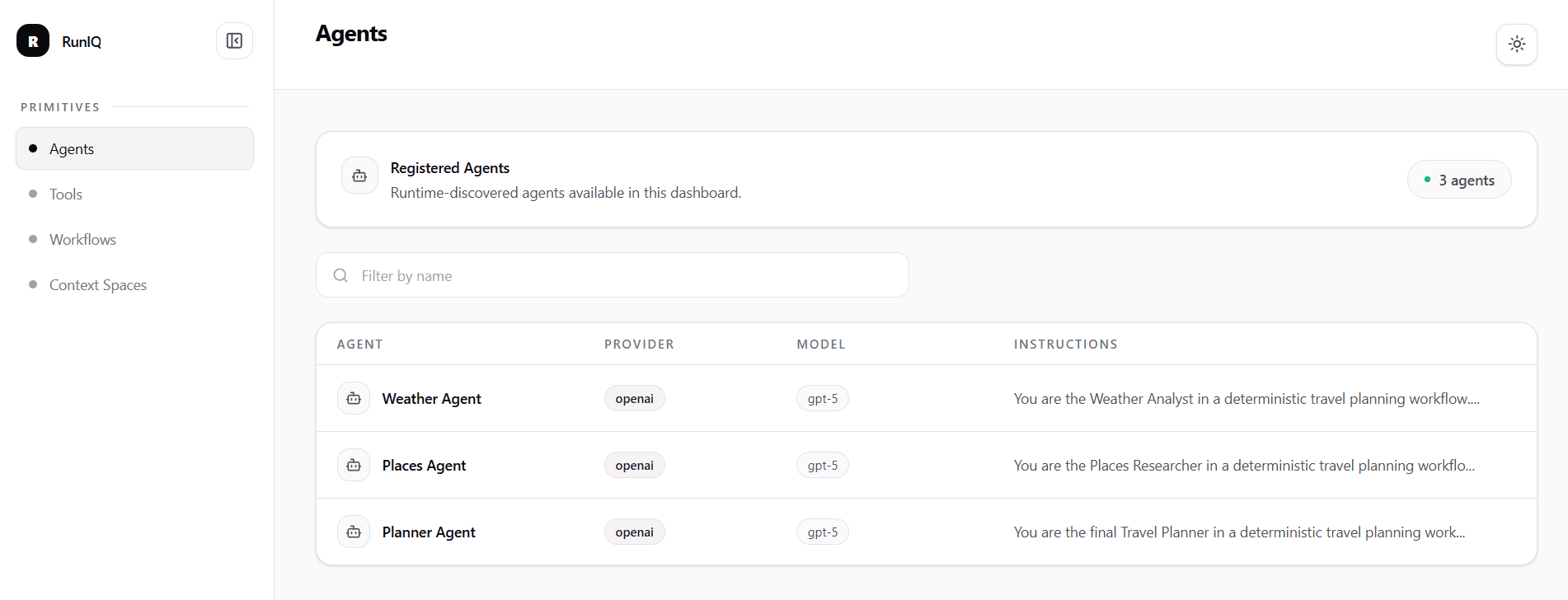
Registered agents discovered by the Runiq runtime.
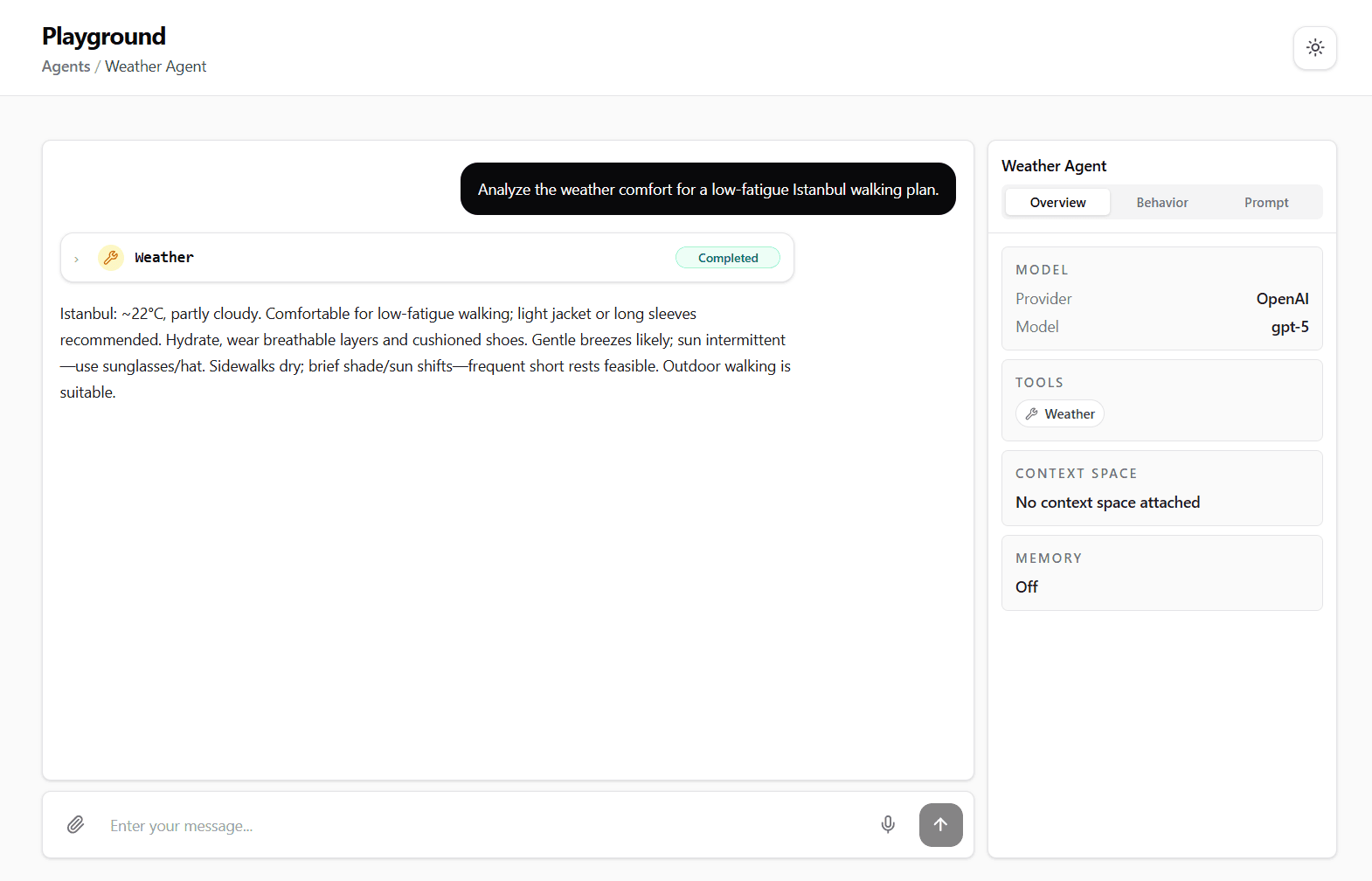
Weather Agent in the embedded Runiq Dashboard
Testing Planner Agent
The Workflow Travel Planner sample registers three agents: Weather Agent, Places Agent, and Planner Agent.
For dashboard testing, start with Planner Agent. It is the best user-facing example because it is responsible for the final itinerary and synthesis. Weather Agent and Places Agent are specialist contributors in the workflow.
After registering PlannerAgent.Create(openAiApiKey), open the dashboard and select Planner Agent.
Use an input that gives the planner enough context to produce a final answer:
Expected behavior:
| Area | What to inspect |
|---|---|
| Agent details | The dashboard should show planner-agent, model settings, instructions, and attached tools. |
| Tool call | Planner Agent should call MealSuggestionTool before finalizing. |
| Tool result | Meal suggestions should appear as intermediate execution detail. |
| Final response | The final answer should be a user-facing itinerary, not raw JSON. |
| Boundaries | The agent should synthesize the plan and not expose internal tool output directly. |
You can also use a prompt that looks like the output of previous workflow steps. This tests Planner Agent as the final synthesis step:
Expected behavior:
| Area | What to inspect |
|---|---|
| Synthesis | The agent should use the supplied weather and places context. |
| Meal tool | The agent should call MealSuggestionTool exactly once unless the tool call fails. |
| Final answer | The plan should include timing, route flow, weather awareness, rest breaks, and meals. |
Testing specialist agents
Weather Agent and Places Agent are still useful to test, but they should read as specialist agents rather than the main product example.
For Weather Agent:
Expected behavior:
| Area | What to inspect |
|---|---|
| Tool call | Weather Agent should call WeatherTool. |
| Scope | The response should stay focused on weather and comfort. |
| Boundary | It should not create a full itinerary. |
For Places Agent:
Expected behavior:
| Area | What to inspect |
|---|---|
| Tool call | Places Agent should call PlacesTool. |
| Scope | The response should mention places, area grouping, walking difficulty, and route considerations. |
| Boundary | It should not create the final travel plan. |
Testing the three agents side by side makes the workflow model clearer: Weather Agent and Places Agent create specialist contributions, while Planner Agent owns the final user-facing itinerary.
Troubleshooting
| Symptom | Likely cause |
|---|---|
| Agent is missing from the dashboard | It was not registered with options.AddAgent(...). |
| Tool is missing from an agent | The tool was not attached with AddTool<TTool>() on that agent. |
| OpenAI agent fails before provider call | The default OpenAI endpoint requires a valid apiKey. |
| Tool call is not shown | The model did not request the tool, or the tool is not attached to the agent. |
Stream ends with failed | Inspect errorCode and errorMessage in the stream event. |