

Dashboard testing
Inspect and run Runiq tools in the embedded dashboard.
The embedded dashboard shows typed tools discovered from the Runiq runtime metadata.
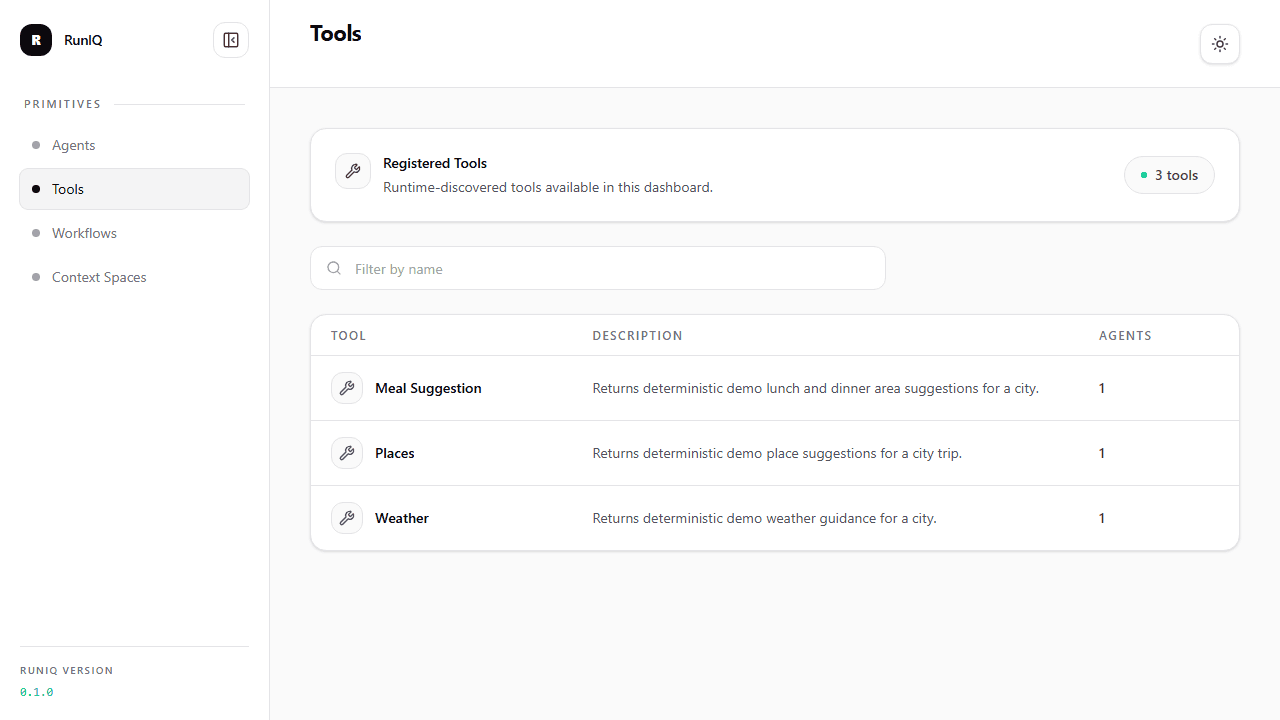
The Runiq.WorkflowTravelPlanner dashboard lists the tools attached to the travel agents. This makes the capability boundary visible: weather, places, and meal suggestions are separate .NET operations, each attached to the agent that is allowed to use it.
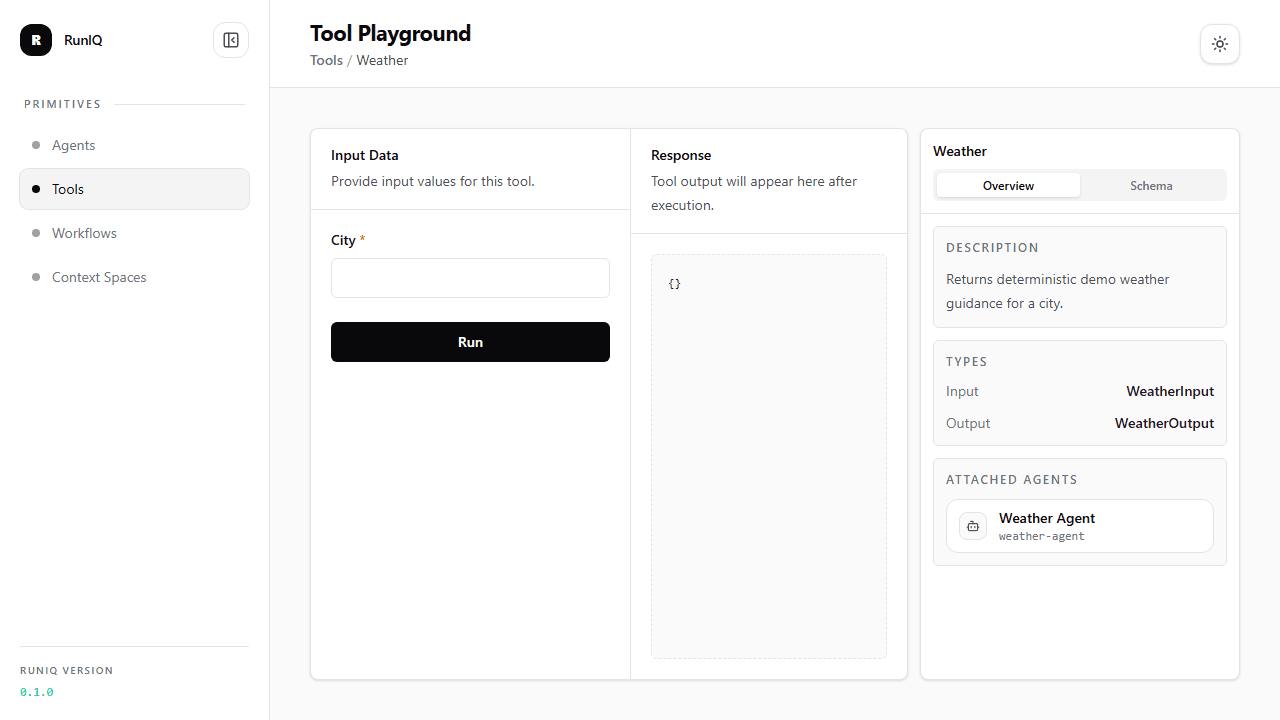
The Weather tool detail page shows the model-facing description, input/output CLR types, and attached agent. Before an agent uses the tool, you can verify that the runtime contract matches the C# implementation.
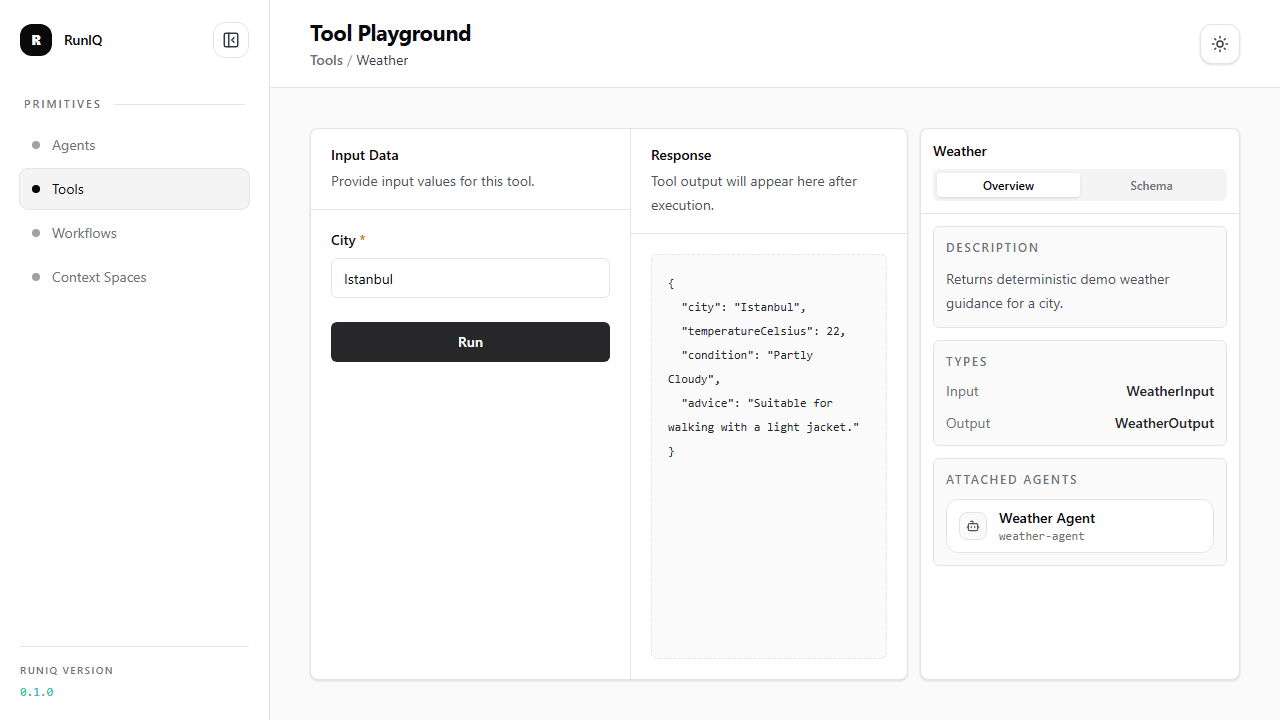
The tool playground runs the native .NET tool directly with structured input. Here the dashboard calls WeatherTool.ExecuteAsync for Istanbul and shows the JSON output that would be returned to an agent.
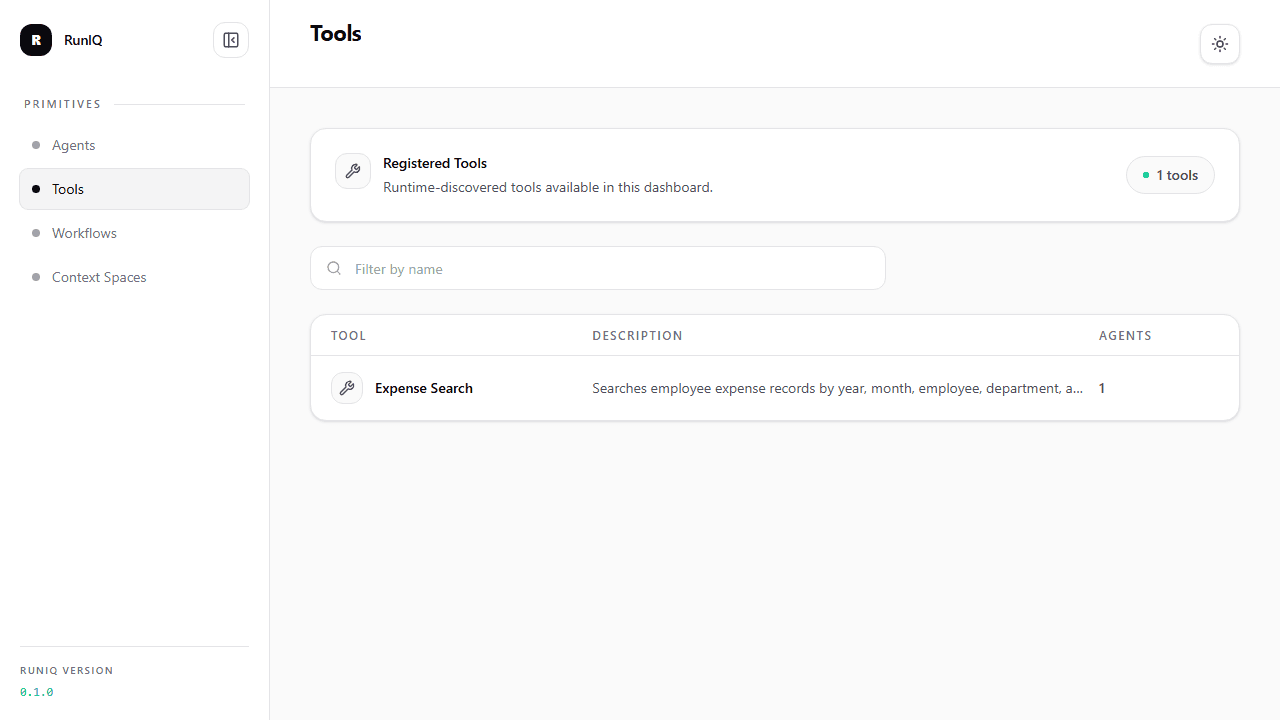
Runiq.ExpenseDesk shows the same pattern with business data instead of travel helpers. The expense_search capability is backed by application data and exposed as a typed, inspectable tool.
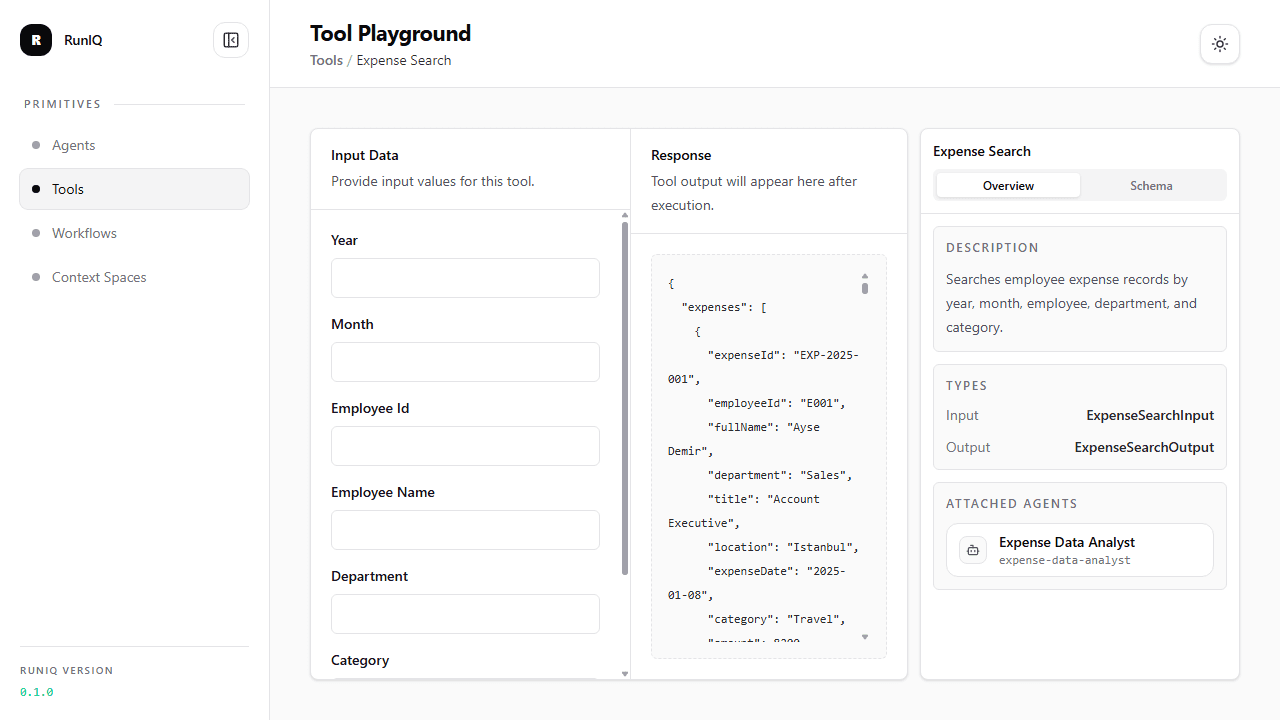
The Expense Search playground demonstrates why tools matter for enterprise apps: the model does not invent totals or records. The tool queries application-owned expense data and returns structured rows that an agent can summarize.
What to inspect
| Dashboard area | What it shows |
|---|---|
| Tool name | The RuniqToolAttribute name used by the model and runtime. |
| Description | The model-facing description for when the tool should be used. |
| Input schema | Shape generated from the tool input CLR type. |
| Output schema | Shape generated from the tool output CLR type. |
| Attached agents | Agents that have this tool attached with AddTool<TTool>(). |
| Run result | Direct tool playground output or error. |
Run a tool directly
The dashboard maps a direct tool run endpoint under the dashboard API path.
With the default dashboard path /runiq:
If the dashboard path is /dashboard, the endpoint is:
The response shape is:
This is useful for testing the tool contract directly before you rely on an agent to call it.
For a business-data tool such as expense_search, direct testing is especially useful. You can verify that filters, totals, and returned rows are correct before allowing an agent to use those results in a natural-language answer.
Suggested test inputs
For weather:
For places:
For meal_suggestion:
For expense_search in Runiq.ExpenseDesk:
The tool playground validates the native .NET operation. Agent chat validates whether the model chooses the right tool and uses the result correctly.