

Workflows and context
Use Studio to inspect workflows, Context Spaces, source documents, and skills.
Studio is not only for single-agent chat.
It also helps developers inspect deterministic workflows and source-backed Context Spaces.
Workflow run example
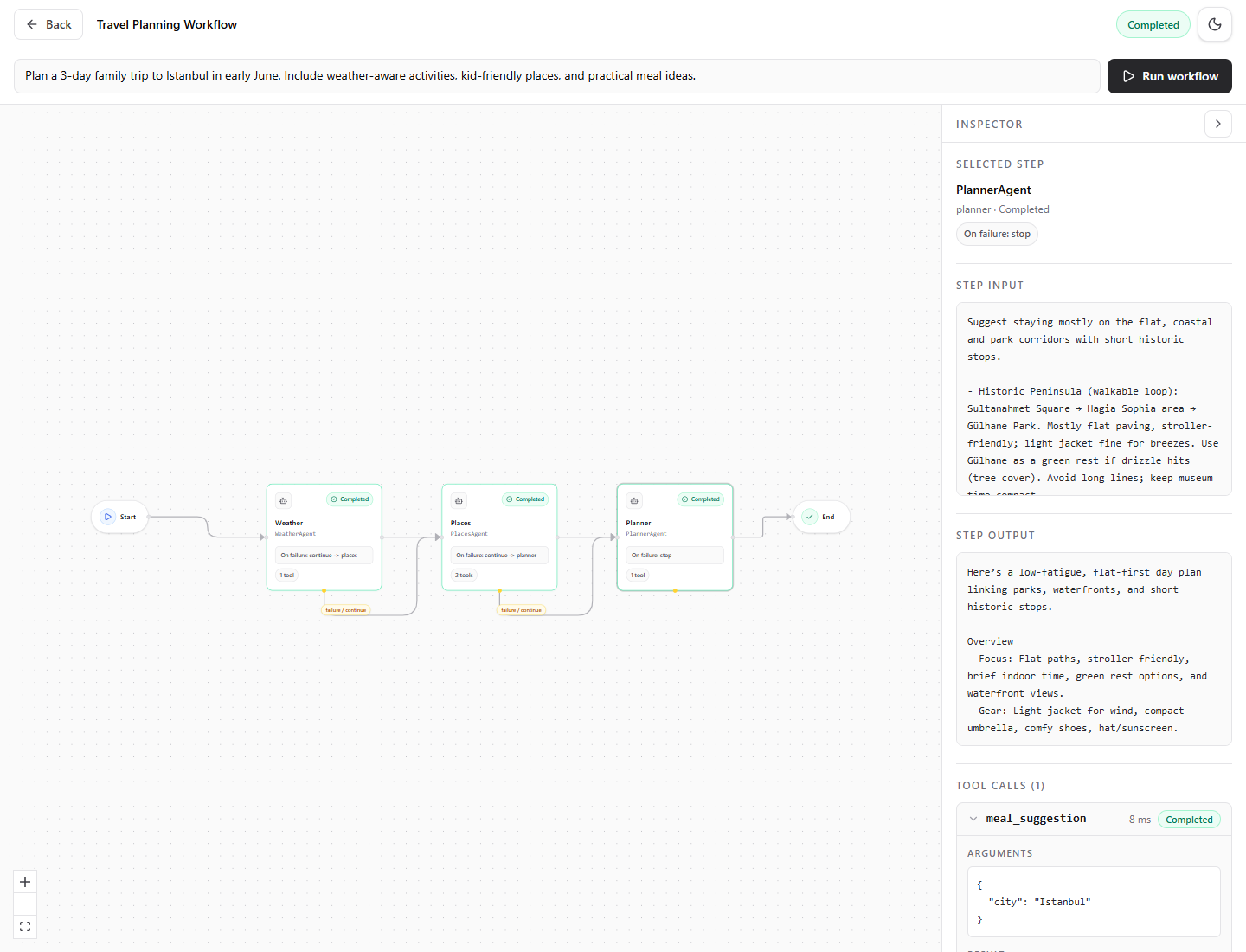
This run comes from Runiq.WorkflowTravelPlanner, but the travel domain is only a readable sample. The useful behavior is that Studio shows the workflow graph, completed steps, step input, step output, failure rules, and tool calls in one place.
Use Studio while building a workflow:
This is useful when a product behavior should follow a known order, such as support triage, policy check, then final response.
For real applications, this is where developers can verify that the product-owned sequence is still explicit. The model can reason inside each step, but the application keeps control over which step runs next and what happens after failure.
Context Space example
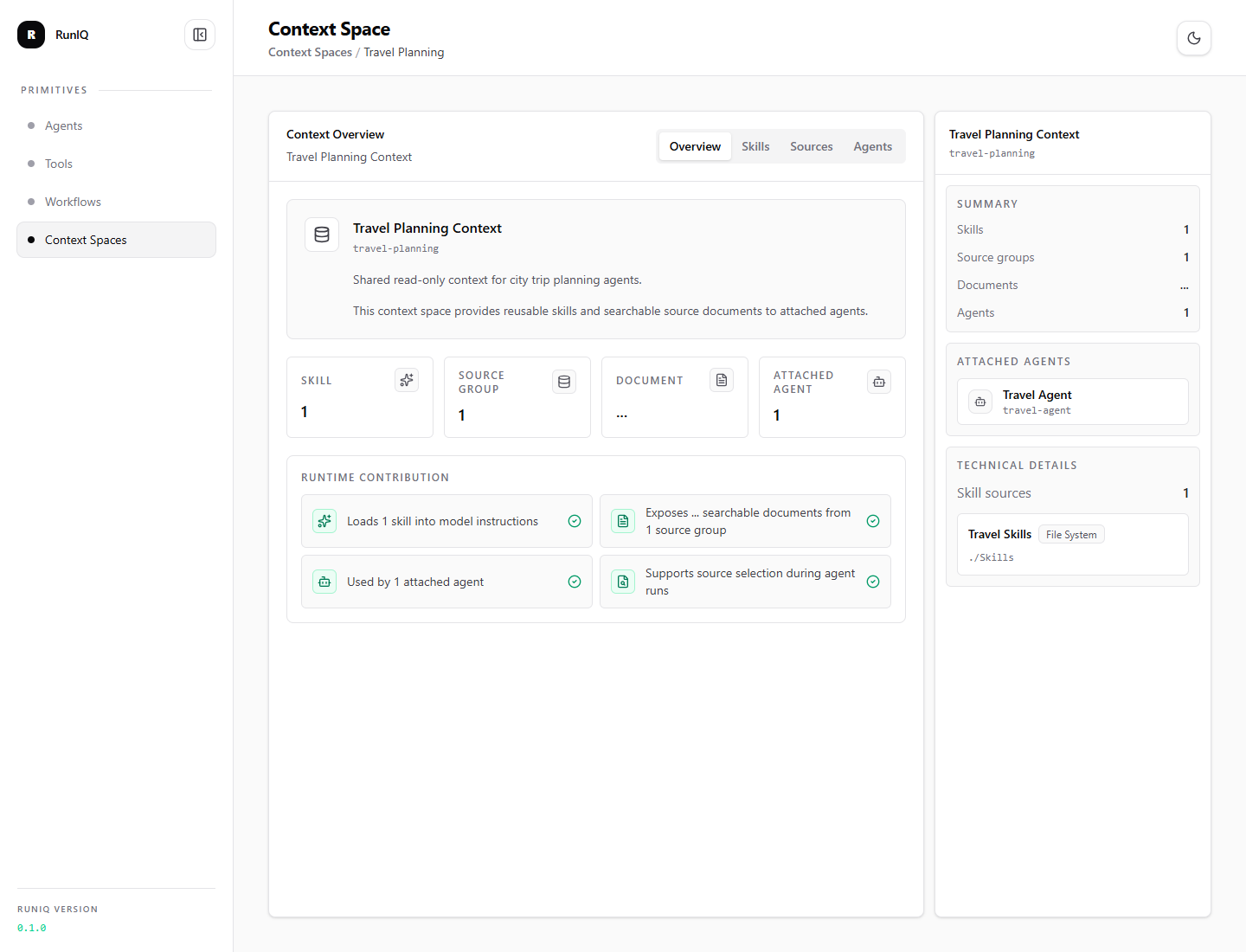
This Context Space view comes from Runiq.ContextTravelGuide and shows sources, skills, attached agents, and runtime contribution. The sample content is travel-related, but the same structure can represent internal policies, onboarding material, support procedures, incident guides, or any source set your agents should use consistently.
Use Studio while building Context Spaces:
This helps answer questions such as:
- Is the Context Space registered?
- Are the expected documents readable?
- Was a skill discovered from
SKILL.md? - Which agents are attached?
- Did the agent run retrieve relevant source excerpts?