

Overview
Understand how Context Spaces give Runiq agents source-backed context and operational skills.
Context Spaces are Runiq's context layer for agents.
Most useful AI features need knowledge that is not in the model: product documentation, internal policies, runbooks, customer-facing rules, onboarding material, domain guides, or source files. Putting all of that into agent instructions does not scale. It becomes hard to update, hard to review, and easy for the model to claim knowledge it did not actually receive.
Context Spaces give .NET applications a structured way to register source-backed knowledge and reusable operational skills. The runtime can discover documents, search relevant excerpts for the current user request, load active skill instructions, attach that context to the agent run, and show the process in Studio.
This is not only for travel planning. The Runiq.ContextTravelGuide sample uses city guides because it is easy to understand, but the feature is general. The same pattern applies to product documentation, customer support policies, internal runbooks, legal guidelines, engineering handbooks, onboarding material, sales playbooks, and domain-specific knowledge bases.
Install the package
Add the Context Spaces package to the .NET project that registers source-backed context:
Use this package when your application needs searchable source documents, file-backed context, or reusable skill instructions for agents.
What a Context Space contains
| Part | Purpose |
|---|---|
| Context Space | Named runtime boundary for source-backed context. |
| Sources | Documents or files that can be searched and used as grounding material. |
| Skills | Markdown instruction files discovered from skill sources and added as operational guidance. |
| Attached agents | Agents that are allowed to use that Context Space. |
| Dashboard metadata | Source counts, document previews, skills, and attached agents. |
Why it helps
Without Context Spaces, developers often push too much into agent instructions:
That does not scale. It is hard to review, hard to update, and easy to hallucinate. Context Spaces separate durable knowledge from agent behavior so both can evolve cleanly.
With Context Spaces, the app can register a source boundary:
Then selected agents can opt in:
The runtime can search attached sources for the current user request, add relevant excerpts to the agent instructions, load active skills, and stream context events to the dashboard.
Runtime flow
| Step | What happens |
|---|---|
| 1 | The user sends a message to an agent. |
| 2 | Runiq finds the registered agent and its attached Context Space ids. |
| 3 | The runtime discovers skills from attached skill sources. |
| 4 | The runtime searches attached source documents using the user message. |
| 5 | Relevant excerpts and active skill instructions are merged into the model instructions. |
| 6 | The provider request is sent with agent instructions, retrieved context, tools, and model settings. |
| 7 | Context and skill events can be shown in the dashboard stream. |
The agent still produces the answer. Context Spaces provide source-backed material and operational guidance.
Sources vs skills
| Feature | What it is | Example |
|---|---|---|
| Source | Knowledge content to search and quote from. | istanbul-guide.md, expense-policy.md, release-notes.pdf |
| Skill | Instruction package that teaches how to behave for a class of tasks. | SKILL.md for travel planning, support escalation, or policy review |
Sources answer "what does the knowledge base say?" Skills answer "how should the agent handle this kind of task?"
Studio example
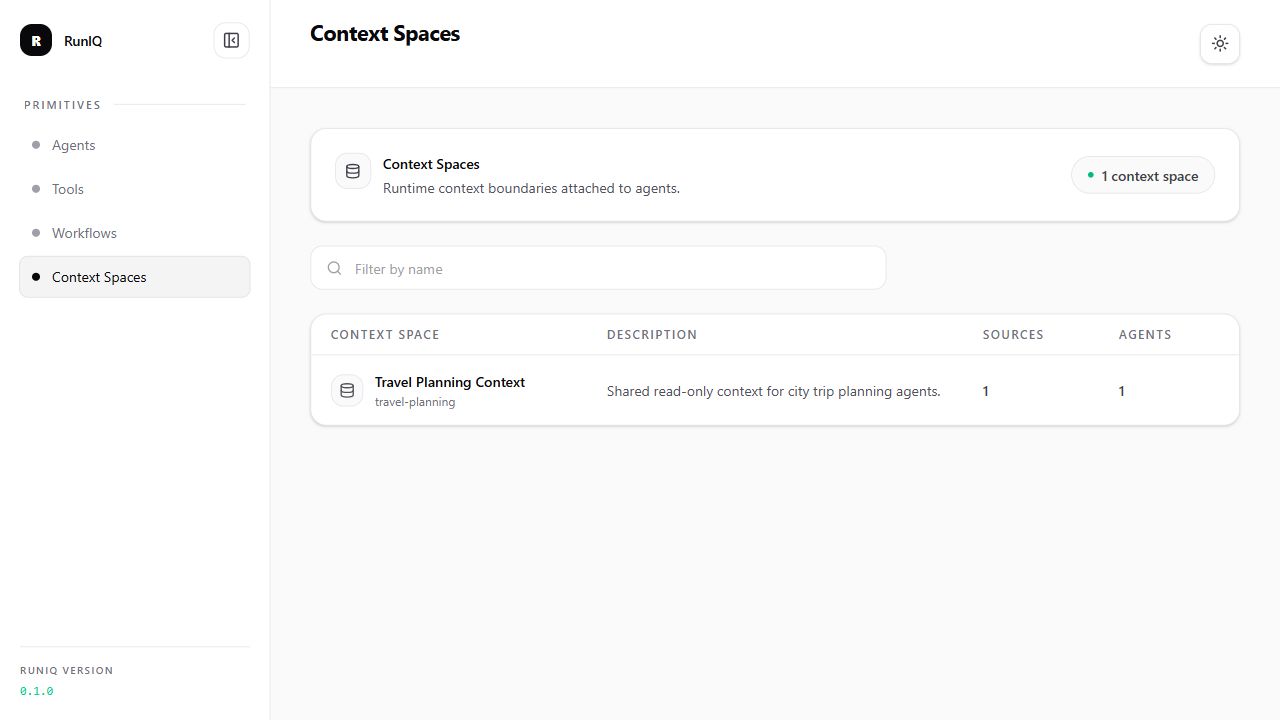
The dashboard lists registered Context Spaces and summarizes how many source groups and agents are connected to each runtime boundary.