

Dashboard testing
Inspect Context Spaces, sources, skills, and context events in the embedded dashboard.
The embedded dashboard shows registered Context Spaces from runtime metadata.
Dashboard examples
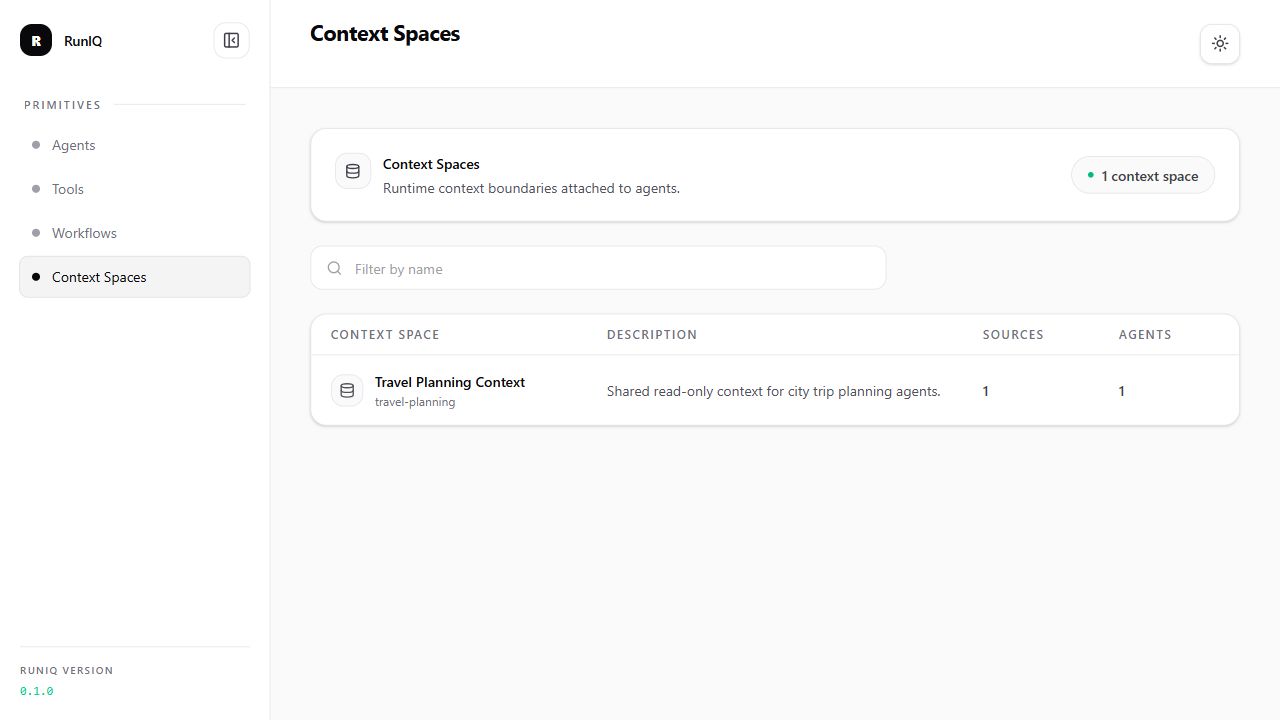
This view confirms that the runtime registered the travel-planning Context Space and shows its source and attached agent counts.
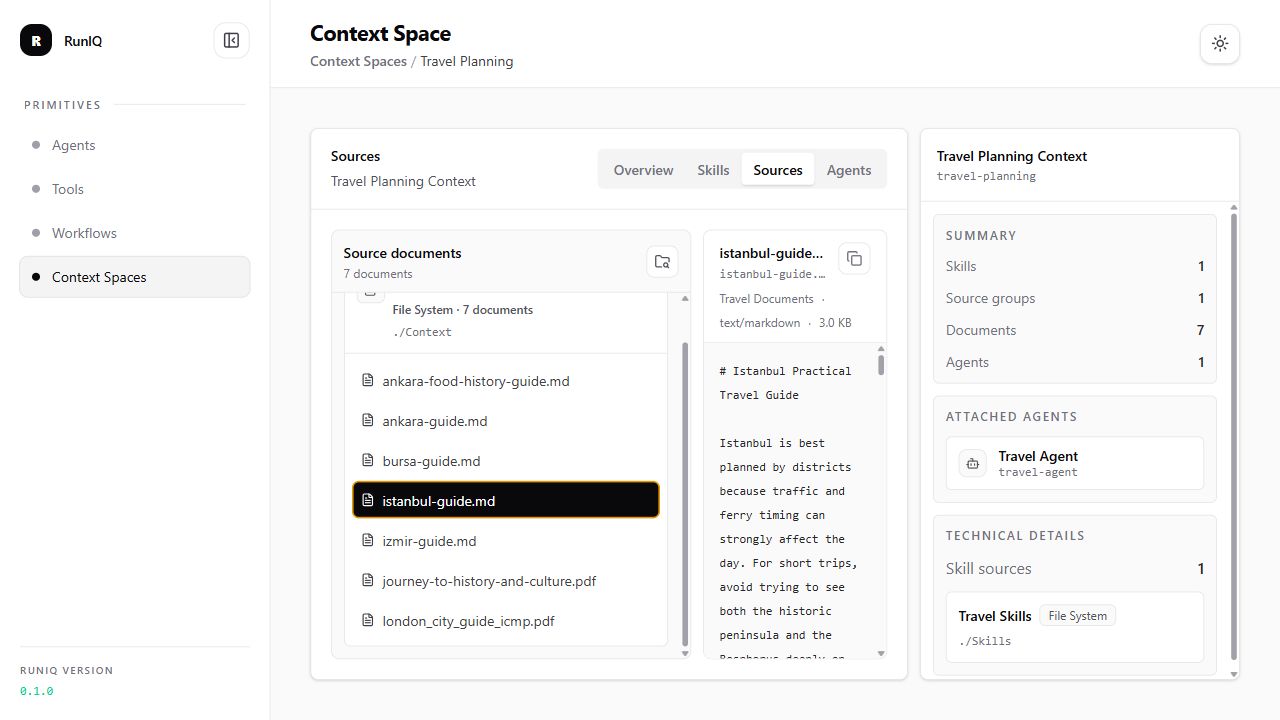
The source preview lets you inspect a selected document exactly as the dashboard will make it available for source search and debugging.
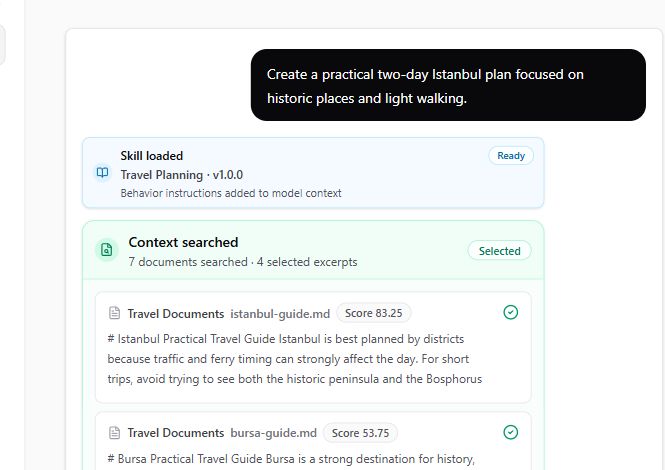
The agent run stream shows the loaded skill and selected source excerpts before the provider response, which makes context usage visible during testing.
What to inspect
| Dashboard area | What it shows |
|---|---|
| Context Spaces list | Registered context spaces and high-level metadata. |
| Sources | Source ids, names, kinds, paths, and document counts. |
| Source documents | Readable documents grouped by source. |
| Source preview | Supported document content preview. |
| Skills | Discovered SKILL.md files, version, tags, and descriptions. |
| Attached agents | Agents that use the Context Space. |
| Agent run events | skill_loaded, context_provided, and context_searched stream events. |
Test Travel Agent
Use a prompt that should retrieve source context:
Expected behavior:
| Area | What to inspect |
|---|---|
| Context Space | travel-planning should be attached to Travel Agent. |
| Skill event | The trip planning skill can appear as loaded. |
| Search event | The run can show searched documents and selected source results. |
| Final answer | The answer should use retrieved city-guide context when relevant. |
Use a prompt for a city with weak or missing source coverage:
Expected behavior:
| Area | What to inspect |
|---|---|
| Search results | Source search may find no relevant Tokyo guide. |
| Final answer | The agent should be transparent if attached context does not contain relevant destination information. |
Useful endpoints
With dashboard path /dashboard, source document APIs are available under:
These endpoints are read-only dashboard APIs.